P2P Safety
Paid on Binance P2P but the Seller Hasn't Released Your USDT: What to Do in South Africa
Binance treats a stuck P2P order differently depending on whether you paid by real-time payment or ordinary EFT: 15 minutes in one case, two working days in the other. Work out which lane you are in, then appeal with the right evidence.
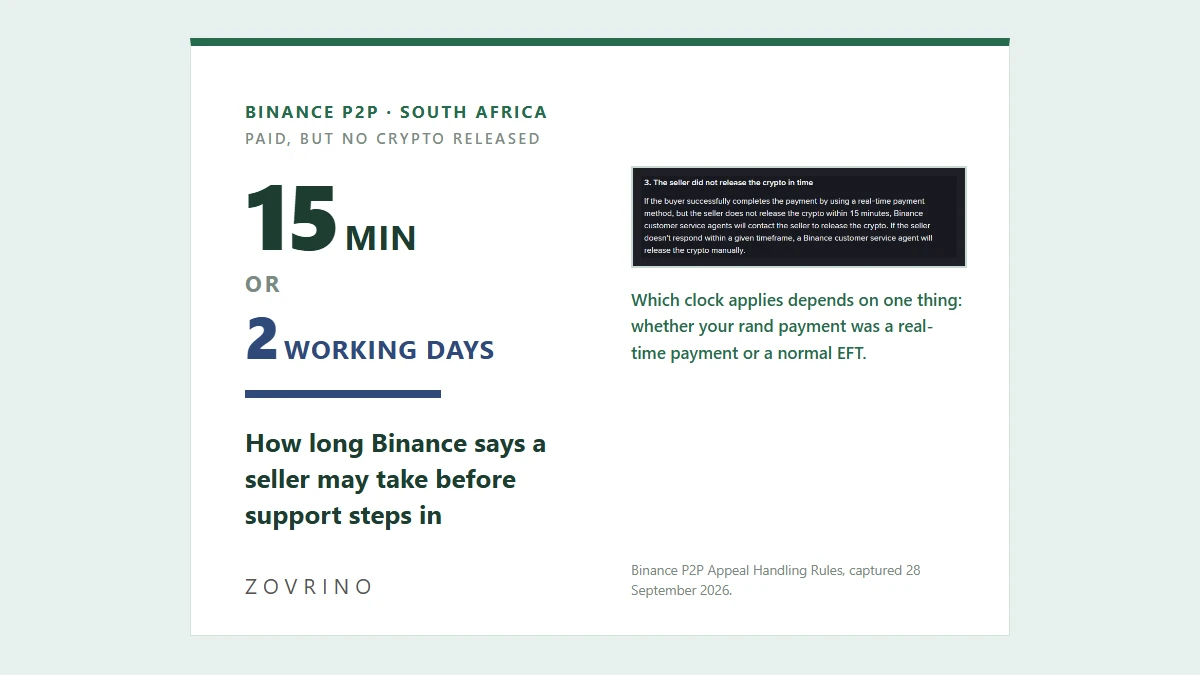
You transferred the rand, you tapped [Transferred, notify seller], and the order is still sitting on the releasing crypto page. Before you do anything else: do not cancel the order, do not send a second payment, and do not move the conversation to WhatsApp or Telegram. All three destroy the evidence trail that the appeal process actually runs on.
The next thing to work out is which of Binance's two waiting rules applies to you. They are very different, and in South Africa the answer depends on a choice you made inside your banking app.
The 15-minute rule and the two-working-day rule
Binance publishes a rules page for P2P disputes. Under the buyer's section, the clause covering a seller who has not released splits into two cases:
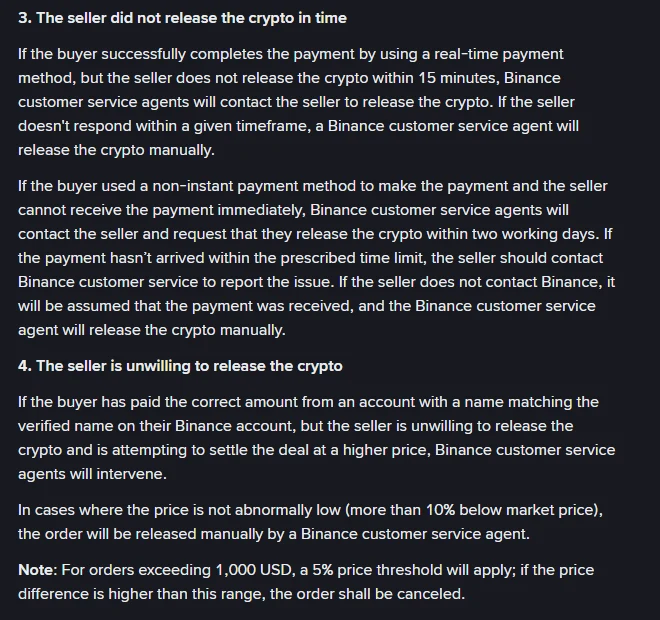
Binance P2P Appeal Handling Rules, clauses 3 and 4 of the buyer's appeal section. Captured from the public help page on 28 September 2026; the page shows a last-updated date of 15 October 2024 and states the rules apply to non-CNY trades.
If you paid with a real-time payment method and the seller has not released within 15 minutes, support contacts the seller, and if the seller does not respond within a given timeframe an agent releases the crypto manually.
If you paid with a non-instant payment method and the seller genuinely cannot see the money yet, support asks the seller to release within two working days. If the money still has not arrived by then, the seller is the one who has to come back to Binance and say so. If the seller says nothing, the rules say payment is assumed received and an agent releases manually.
So the same stuck order can be a fifteen-minute problem or a two-working-day problem. Knowing which one you are in stops you from panicking on day one, and stops you from waiting quietly for three days when you should have escalated after a quarter of an hour.
In South Africa, "instant" is a choice, not a payment method
Here is the part that trips up first-time buyers. The ad lists something like Bank Transfer, Absa Bank, Capitec Bank or Nedbank. None of those labels tell you whether the money moves in seconds. That is decided when you set up the payment in your own app.
PayShap, the interbank instant service, describes itself as "bank to bank payments in seconds", and the banks say the same on their own product pages: Absa's PayShap page lists "Instant: Payments reflect in your account instantly." PayShap's how-to page carries setup videos for Absa, African Bank, Al Baraka, Capitec, Discovery Bank, FNB, HBZ, Nedbank and Standard Bank. Your own bank may also list a separate immediate or real-time payment option alongside the ordinary EFT, usually at a higher fee; the payment options screen in your app is where you can see which ones you actually have.
Ordinary EFT is the default in most banking apps. If you left the default alone, you very likely made a non-instant payment, and the seller may honestly not see anything yet. That is the two-working-day lane, and it is worth saying so in the appeal rather than accusing the seller of theft.
The practical check takes thirty seconds: open your banking app, find the transaction, and look at how it is labelled and dated. A payment sent as PayShap or as an immediate payment is normally reflected as completed straight away. A standard EFT will typically show a future action date or a processing status. Screenshot whichever one you see, because that is the single most useful piece of evidence you can attach.
The order countdown is not the release countdown
There are two timers on a P2P order, and buyers regularly confuse them.
The first is the payment window on the ad: the time you have to pay and mark the order as paid before the system can cancel it. On 28 September 2026 we read all 42 live ZAR buy ads for USDT through Binance's public ad-search data. Twenty-five of them gave 15 minutes, fifteen gave 30 minutes, one gave 45 and one gave 60. The clock icon next to each advertiser on the public P2P page is exactly this number:
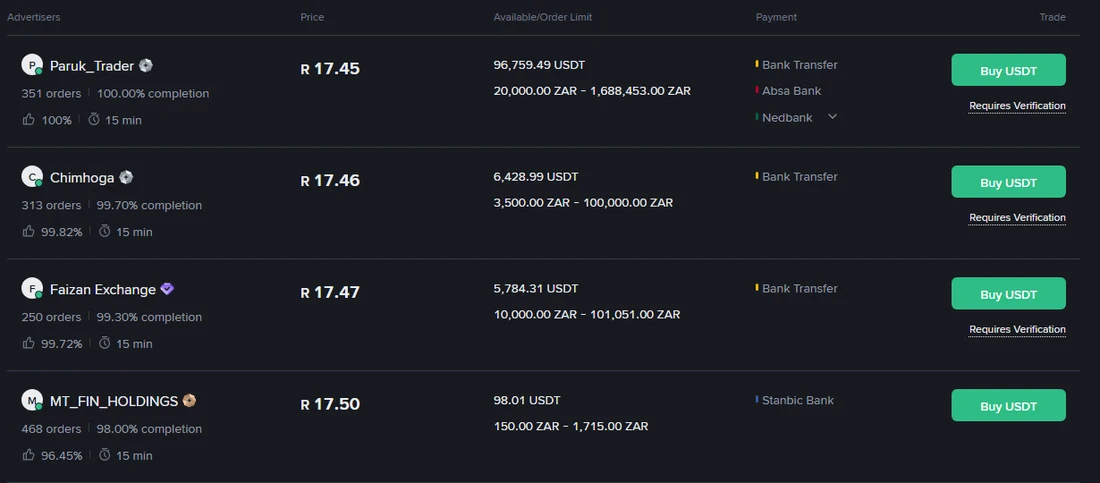
Binance P2P, Buy USDT with ZAR, default web view. Captured 28 September 2026. The clock next to each advertiser is that ad's payment window, not a release guarantee.
The second timer is the one in the rules above, and it only starts once you have actually paid. Nothing in the payment window obliges the seller to release inside it.
One more thing that reading showed: the cheapest ads were not the quickest ones to pay. The best price among all 42 ads was R17.04 on a 30-minute window paid by cash deposit, then R17.05 on 45 minutes by FNB eWallet or cash deposit. The bank-transfer ads with 15-minute windows started at R17.15. The default web view, which shows verified merchants only, opened at R17.45. Binance spot was quoting USDT/ZAR at 16.48 within minutes of that reading, so the merchant row sat roughly 5.9% above spot and the cheapest individual ad roughly 3.4% above.
Across those 42 buy ads the payment methods were: Bank Transfer on 25, Absa Bank on 14, FNB eWallet on 9, Capitec Bank on 9, Nedbank on 9, cash deposit to bank on 7, FNB Bank on 5, Standard Chartered on 4, Stanbic on 4 and MTN Mobile Money on 1. Cash deposits deserve a second thought before you take that price: a deposit slip does not carry your name the way a transfer from your own account does, and the rules below lean heavily on the payer's name matching your verified name.
How to open the appeal
The steps come from Binance's own help page for appealing a P2P order in the app, which shows a last-updated date of 23 December 2025:
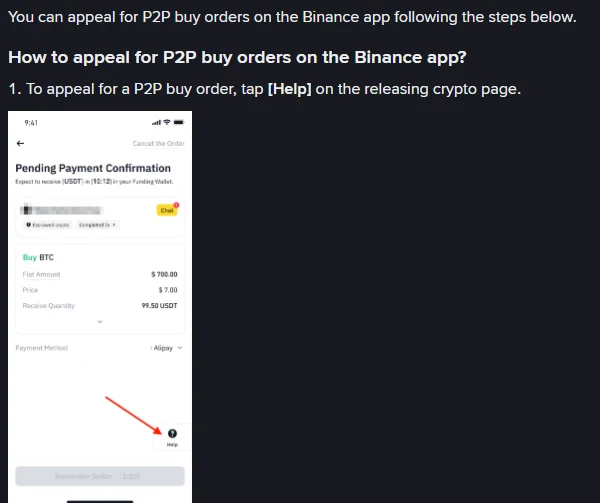
Binance's official help article "How to Appeal for P2P Orders on the Binance App?", Buy Orders tab. Captured 28 September 2026. The phone screens are Binance's own tutorial images, not a real order.
- On the releasing crypto page, tap [Help].
- You get suggestions plus two buttons: [Contact Counterpart] to talk to the seller first, or [Appeal] to escalate.
- Tap [Customer Service] and pick the issue you are facing.
- If none of the offered solutions fit, submit the appeal: choose a reason, describe what happened in detail, and attach the screenshots.
- You will see [Appeal Submitted]. The seller then has a 10-minute window to reply, and you can follow it under [Progress].
Two details are worth knowing before you tap anything. If the seller picks Negotiation failed, or simply does not answer within those 10 minutes, the appeal moves to [Under Review] and a support agent picks it up. And if you hit [Cancel Appeal] by mistake, you have to wait five minutes before you can submit again, so do not tap it to tidy up a chat that only looks resolved.
What goes into the appeal
The goal is to let an agent match your bank record to the order without asking you follow-up questions. In order:
- Order number, order time, amount and the counterparty's name as shown on the order.
- Your bank record for that payment: date, amount, recipient account, reference and the status your bank shows.
- The order chat, showing that you told the seller you had paid and what they did or did not reply.
- Whether the payment went out as an instant payment or a standard EFT. Say which, explicitly.
Mask anything the agent does not need: your balance, unrelated transactions, full account numbers, ID number and any login details. Never upload a one-time PIN, a password, or a screen recording that shows one. Evidence is there to settle one order, not to prove how much money you have.
Some appeals may ask for a short video of the bank record. Close your notifications first, so other people's names and OTP messages do not appear on screen.
Five situations the rules name specifically
These all come from the same published rules page, and they explain outcomes people find surprising.
| Situation | What the rules say |
|---|---|
| You paid, but the system auto-cancelled the order | Support contacts the seller for a refund on a best-effort basis; if the seller refuses, Binance says it is not liable for the loss |
| You paid more than the order amount | Support contacts the seller for a refund of the difference; if the seller refuses, the loss sits with you |
| Your payment reference mentioned crypto | If you wrote words like "Binance", "BTC" or "digital currency" against the seller's stated terms, support asks the seller to release or refund, and refund fees are yours |
| You paid from someone else's account, or a name that does not match | Binance says it is not liable and a refund is not guaranteed; a name mismatch can suspend your own P2P access while the seller refunds you |
| The seller is stalling to re-price the trade | Support intervenes and can release manually, unless the ad price was abnormally low, meaning more than 10% below market, or more than 5% for orders above 1,000 USD, in which case the order is cancelled |
That last row is the reason to distrust an ad priced far away from everything else on the page. Winning an appeal on a suspiciously good price is not something the rules promise you.
What not to do while you wait
Do not pay again, whatever the seller says in chat. Do not accept an offer to cancel and settle privately: escrow, the order timeline and the chat log only protect what happened inside Binance. Do not pay a second "release fee", "verification deposit" or "unlock fee"; the order amount was fixed when you placed it. And do not send your ID photo or a selfie video to a trading counterparty. Verifying your identity with the exchange and handing your documents to a stranger are not the same thing.
If the seller changes the receiving account mid-order, keep the chat and say so in the appeal instead of paying the new account.
Once it is released, or refunded
Check that the USDT actually landed in the right wallet, then save the completed order page and your bank record together. If the bank later reverses or queries the payment, add that new status to the same case rather than arranging anything privately with the seller.
If the outcome is a refund instead of a release, confirm the money is back in your account before you close the case, and note that under the rules any fees on that refund are generally yours to carry.
Before your next order, the useful filters are the ones you can see up front: the advertiser's order count and completion rate, the limits, the payment methods and the written terms. Our guide to picking a Binance P2P merchant for EFT payments in South Africa goes through those in order. If you are still deciding how to get rand in at all, the comparison of P2P, card and crypto transfer routes covers the trade-offs, and the three routes back out to rand shows the same P2P mechanics from the selling side.
One last distinction: this article is about rand that left your bank. If the problem is crypto you sent on-chain that never showed up on Binance, that is a different evidence trail, covered in the four checks for a deposit that is not showing.
Sources
- Binance P2P Appeal Handling Rules (page shows published 2020-04-13, last updated 15 October 2024; read 28 September 2026)
- Binance FAQ: How to Appeal for P2P Orders on the Binance App? (page shows published 2020-08-21, updated 2025-12-23; Buy Orders tab, read 28 September 2026)
- PayShap: Services and How to PayShap (read 28 September 2026)
- Absa: PayShap (read 28 September 2026)
- ZAR ad counts, payment windows, payment methods and prices: Binance's public P2P ad-search data for USDT/ZAR, read 28 September 2026. Spot reference: Binance USDT/ZAR market data, same day.
Ad prices, payment windows and help-page wording change without notice. Re-read the two Binance pages above before you rely on any timing here, and treat every number as a reading from one day.
If you have not registered yet
Read the Binance referral-code guide. It explains how to verify the official domain, code CG17CR7R and the advertised benefit of up to 20% in trading-fee rebates. Eligibility, products and the final rate depend on the registration page and account terms; Zovrino may receive a commission from an eligible referral. A referral link changes none of the P2P rules above.
The code we use is CG17CR7R (link). Typing binance.com yourself gives you the same account.