
Missing Funds and Fixes
Binance P2P in South Africa: Did Your USDT Land in Spot or Funding?
Since 29 September 2026 Binance has been moving P2P purchases into the Spot Account instead of the Funding Account, in batches that are not finished yet. Two official help pages still disagree, so this walks through what changed, how to read your own wallet overview, when a transfer is needed and when the Avbl link makes it unnecessary.
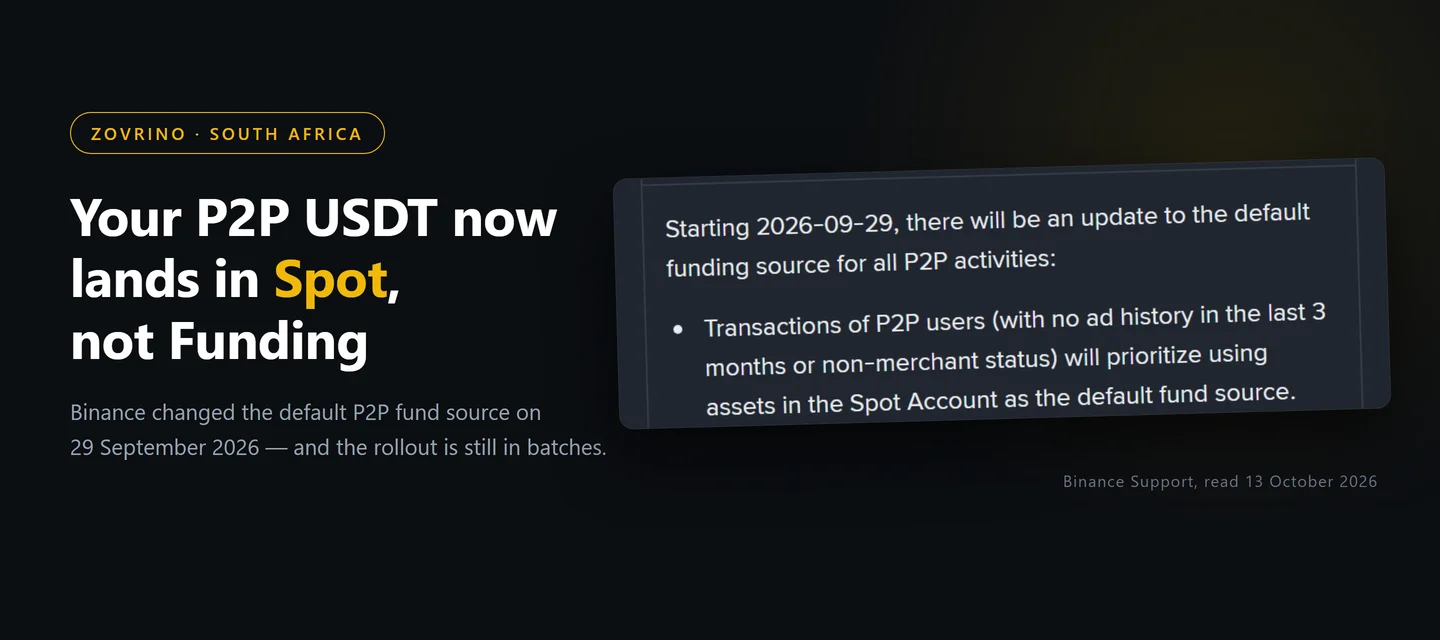
Your EFT cleared, the merchant released the USDT, and the order page says completed. Then you open the Spot trading screen and the balance is not there. Nothing has gone missing — Binance keeps crypto in separate accounts, and in the past few weeks it has changed which account P2P purchases land in.
The change started on 29 September 2026 and is still being rolled out in batches, so two readers who buy on the same afternoon can honestly see two different things. That is also why the help centre currently gives two different answers, depending on which page you open.
What changed on 29 September 2026
Binance published a dedicated FAQ, Frequently Asked Questions on Funding Account to Spot Account Migration (last updated 24 September 2026). The section that matters to anyone buying with rand is the P2P one:
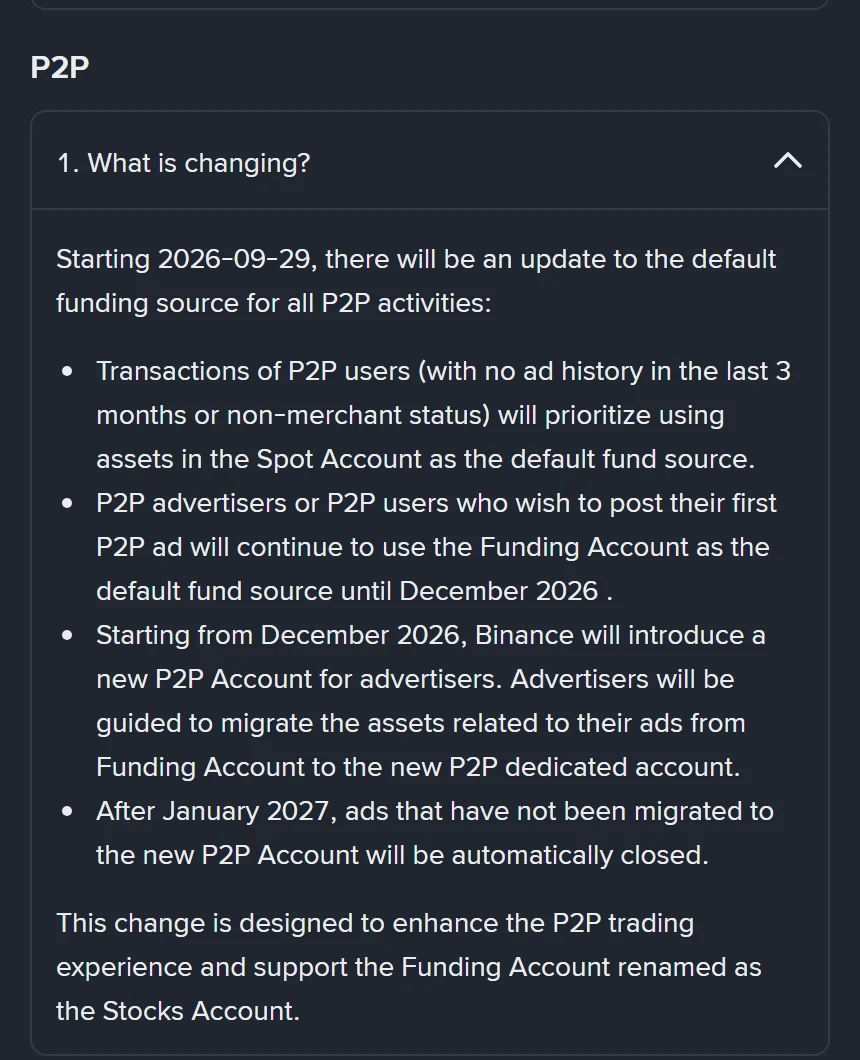
Three things follow from that wording:
- A "P2P user" is defined on the same page as someone who has not posted any ad, online or offline, in the last three months and does not hold merchant status. If you only click on other people's adverts to buy or sell, that is you.
- For those users, both buy and sell orders now prioritise funds in the Spot Account. Buying with rand means the USDT arrives in Spot.
- Advertisers are the exception. They keep using the Funding Account until December 2026, when a dedicated P2P Account is introduced for them.
The wider migration behind it: from 29 September, all non-stock assets in the Funding Account are moved to the Spot Account on a 1:1 basis, and the Funding Account is left holding US stocks, stock options and six settlement currencies — USD, USDC, USDT, USD1, U and BNB. In January 2027 it is renamed the Stocks Account.
One detail the FAQ does not spell out: USDT is itself on that list of six settlement currencies, so the page never says clearly whether USDT already sitting in your Funding Account is moved or left where it is. Do not assume either way — look at your own wallet overview, which takes less time than reading the FAQ.
Why another Binance page still tells you the opposite
The older guide, How to Check My Binance Wallet Balances and Transfer Funds, still carries the pre-migration rule:
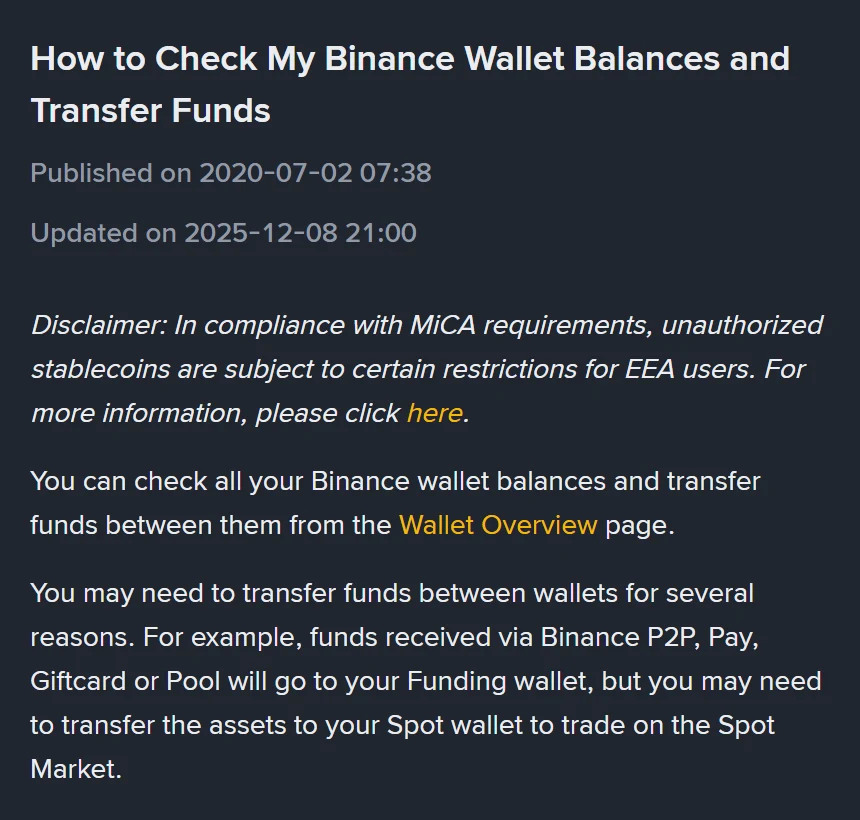
Look at the dates under the heading: published July 2020, last updated 8 December 2025 — nine months before the migration began. It is not wrong for everyone, because advertisers and accounts that have not been migrated yet still behave the old way. It is simply out of date for most ordinary buyers.
So when a forum post or an older tutorial tells you that P2P crypto "always goes to the Funding wallet", treat it as a statement about 2025 rather than a rule you can rely on today.
Check it yourself in under a minute
Rather than guessing which batch you are in, read the balance directly:
- On the website, sign in and go to Assets → Overview. Every account is listed there with its own balance.
- In the app, tap Assets → Overview, then the Crypto tab.
- Find USDT and note which account the balance sits under — Spot, or Funding.
That one screen settles the question for your account, on the day you look at it. It is also the screen to check before you blame the merchant: if the number is there at all, the trade completed and the only open question is where it lives.
If the balance is nowhere to be found, the problem is a different one. For an order where you have already paid and the seller has not released, the appeal route and its deadlines are covered in what to do when a Binance P2P seller has not released your USDT. For coins you sent in from another exchange or wallet, work through the four checks for a crypto deposit that is not showing instead.
If it is sitting in Funding, one transfer moves it
Binance's own instructions for moving assets between your accounts are short:
- App: tap Assets → Transfer, choose Spot as the destination, pick the asset and the amount, then tap Confirm Transfer. The history icon at the top right shows past transfers.
- Website: go to Assets → Overview, click Transfer, select the source and destination accounts and the coin, enter the amount, then click Confirm.
The migration FAQ also mentions a one-click migration button inside the Funding Account, for people who would rather move unsupported coins across themselves than wait for the batch job.
App users have one extra requirement worth knowing about: Binance states that the new default funding source only takes effect once the app is updated to the latest version, while website users do not need to do anything. If your app has not been updated in months, that alone can explain why a friend's balance behaves differently from yours.
You may not have to transfer anything to place an order
Before you move funds around, open the Spot order form and look at the Avbl figure. Binance's spot trading guide (updated 13 August 2026) notes that the order form can draw on more than one account:
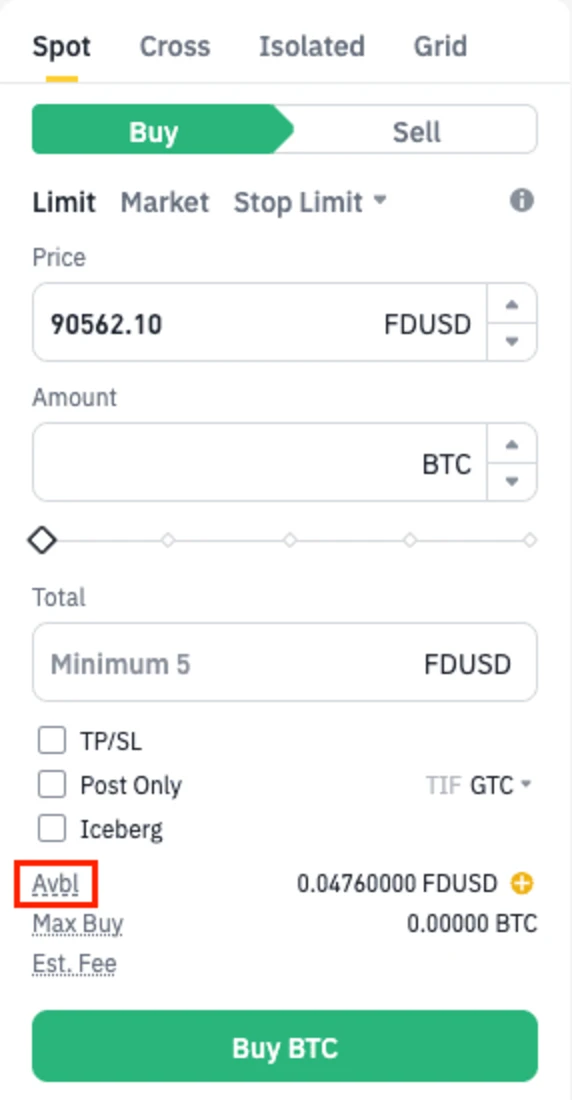
The wording is: "By default, the source of funds may include your Spot, Funding, and Earn accounts (if applicable). You can also choose the ideal accounts as your source of funds by clicking the [Avbl] link." Click Avbl and you can see, and pick, which accounts the order spends from. If the full amount already appears there, a manual transfer buys you nothing.
Withdrawals are a different matter. Once the Funding Account becomes the Stocks Account, Binance says it will no longer support on-chain deposits or withdrawals at all, and anything you want to send out on-chain has to sit in the Spot Account first. If your plan is to move USDT back out to a local exchange, the network you send on matters as much as the wallet: the cost comparison for moving USDT between VALR, Luno and Binance shows why that one choice can cost more than the trade did.
In South Africa, this is almost never a 24-hour hold
A balance you cannot spend after a P2P purchase is sometimes blamed on Binance's "T+1" withdrawal hold. That rule does exist, but read who it covers. The FAQ What Are the "T+1" and "T+2" Withdrawal Limits? (updated 26 May 2026) names verified users from Egypt, Bahrain and Bangladesh, and these fiat currencies: TWD, EUR, CNY, UAH and KZT. Rand is not on that list.
Two further details from the same page, in case you meet the rule elsewhere: the hold restricts withdrawal-related functions for the frozen amount only — spot, futures and margin trading carry on — and it cannot be lifted early. For a rand purchase, though, a balance you can see but cannot find is far more likely to be a question of which account it landed in.
If you are still working out how much to send in the first place, the minimum you can actually deposit on Binance in South Africa sets out the floors the P2P market itself imposes.
Dates worth writing down
- 29 September 2026 — the migration starts; P2P users default to the Spot Account.
- December 2026 — a dedicated P2P Account arrives for advertisers, who are guided to move ad-related assets into it.
- January 2027 — the Funding Account is renamed the Stocks Account, the migration is expected to be complete, and P2P ads that have not moved to the new P2P Account are closed automatically.
None of these dates asks an ordinary buyer to do anything. They matter if you ever post your own advert, because that is the path where the account you fund still changes.
Sources
- Binance Support, Frequently Asked Questions on Funding Account to Spot Account Migration, last updated 24 September 2026, read 13 October 2026 — migration scope, P2P default fund source, the P2P user definition, the app-update requirement and the December 2026 / January 2027 dates.
- Binance Support, How to Check My Binance Wallet Balances and Transfer Funds, updated 8 December 2025, read 13 October 2026 — the wallet overview and the transfer steps.
- Binance Support, How to Spot Trade on Binance Website?, updated 13 August 2026, read 13 October 2026 — the source-of-funds note and the Avbl link.
- Binance Support, What Are the "T+1" and "T+2" Withdrawal Limits?, updated 26 May 2026, read 13 October 2026 — the currencies and user groups the hold applies to.
Binance changes these pages without notice, and this one is mid-rollout, so everything above is a reading taken on a single day. Your own wallet overview outranks any article, including this one. This is general information about where balances sit inside an account, not financial advice.
If you have not registered yet
Read the Binance referral-code guide first. It explains how to confirm the official domain, the code CG17CR7R and the advertised benefit of up to 20% in trading-fee rebates. Eligibility, products and the final rate depend on the registration page and account terms; Zovrino may receive a commission from an eligible referral. Using a referral link changes nothing about the account structure described above.
The code we use is CG17CR7R (link). Typing binance.com yourself gives you the same account.